Mastering the Application Popup in Adobe XD: A Guide to Organized, Editable UI Design
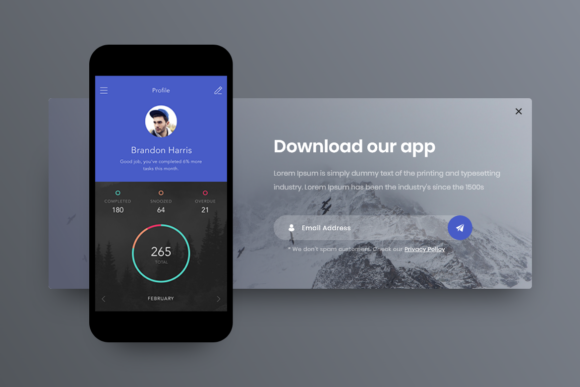
In the rapidly evolving landscape of digital product design, user interface (UI) components serve as the building blocks of seamless user experiences. Among these components, the application popup stands out as a critical element for communication, interaction, and feedback. Whether it is a modal window confirming a purchase, a notification alert, or a login overlay, popups are ubiquitous in modern web and mobile applications. For designers utilizing Adobe XD, creating these elements efficiently is paramount. This article explores the significance of well-structured application popups, focusing on the importance of organization, editability, and high-quality asset management within the Adobe XD environment.
The Strategic Role of Popups in User Experience
Before diving into the technical aspects of Adobe XD files, it is essential to understand why application popups matter. In user experience (UX) design, a popup is not merely a decorative box; it is a functional tool designed to capture attention without navigating the user away from their current context. They are used to:
- Confirm Actions: Preventing accidental deletions or submissions by asking for final verification.
- Provide Feedback: Informing users of success, errors, or loading states.
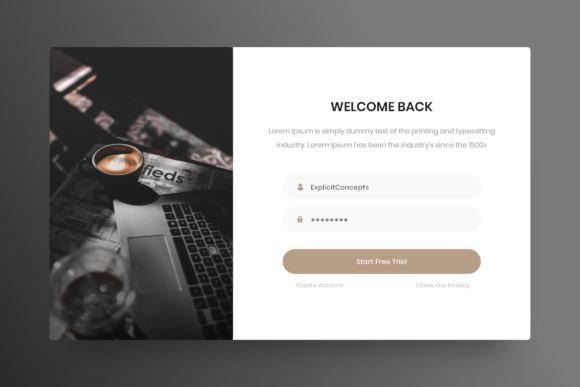
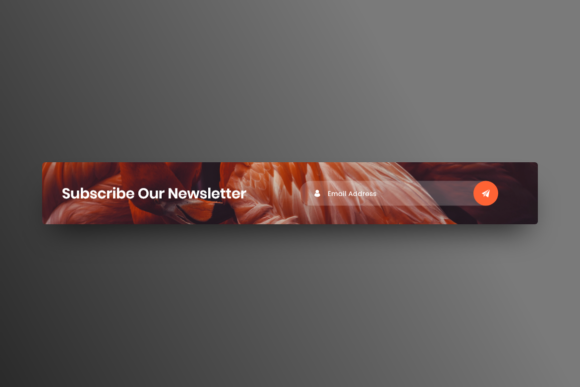
- Gather Input: Collecting data via forms, such as newsletter sign-ups or login credentials.
- Highlight Features: Drawing attention to new updates or premium offers.
Because popups interrupt the user’s flow, they must be designed with precision. A poorly designed popup can frustrate users, while a well-crafted one enhances usability. This is where the quality of your design file becomes crucial. A chaotic design file leads to inconsistent implementations, whereas a structured file ensures that every developer and stakeholder understands the intent behind the design.
Why Organization Matters: The Power of Layers
One of the most significant indicators of a professional-grade Adobe XD template is its internal structure. When downloading or creating an Application Popup kit, the phrase "well organized all in layers with clear names" is not just marketing jargon—it is a necessity for efficient workflow.
The Chaos of Unnamed Layers
Imagine opening an Adobe XD file to change the text on a "Submit" button, only to find hundreds of layers named "Rectangle 43," "Group 12," and "Path 89." Finding the correct element becomes a tedious game of hide-and-seek. This disorganization slows down the design process and increases the likelihood of errors. When layers are not named clearly, collaborating with developers becomes difficult, as they cannot easily identify which assets correspond to specific code components.
The Benefit of Clear Naming Conventions
In contrast, a high-quality Adobe XD file features a logical hierarchy. Layers should be grouped logically—for example, a "Popup Container" group might contain sub-groups for "Header," "Body Content," and "Footer Actions." Within these groups, individual elements like buttons, icons, and text fields should have descriptive names such as "Primary_Button," "Close_Icon," or "Title_Text." This clarity allows designers to:
- Locate elements instantly.
- Make bulk changes without affecting unrelated parts of the design.
- Hand off files to developers with confidence, reducing back-and-forth clarification.
Editability and Flexibility: Designing for Change
Digital products are rarely static. Requirements change, branding guidelines evolve, and copy needs adjustment. Therefore, a key feature of any robust Adobe XD popup template is that it must be fully editable and really easy to use. But what does this mean in practice?
Easy to edit texts, fonts, colors, move or remove elements implies that the design components are not flattened or rasterized. Every text block should remain live text, allowing you to change the language or tone without recreating the graphic. Colors should be applied using global color styles or consistent swatches, enabling a brand-wide update with a single click. If your company rebrands from blue to green, you should not have to manually recolor every button in every popup variant.
Furthermore, flexibility means that elements are not locked in rigid positions. You should be able to move a button from the bottom right to the center, or remove an icon entirely, without breaking the layout. Modern Adobe XD features like Stacks and Padding facilitate this by automatically adjusting spacing when elements are added or removed, ensuring the popup remains visually balanced regardless of content changes.
Technical Specifications: Quality and Format
While creativity is central to design, technical specifications ensure that the final product performs well across devices. Two critical specs mentioned in professional templates are High quality 72 dpi and the Format Adobe XD.
Understanding 72 DPI for Screen Design
DPI (Dots Per Inch) is a measure of resolution. For print media, 300 DPI is standard. However, for digital screens—including websites, mobile apps, and software interfaces—72 DPI (or more accurately, pixel density relative to screen size) is the traditional baseline. High-quality 72 dpi assets ensure that images and vectors appear crisp on standard displays without unnecessary file bloat. In the context of Adobe XD, working at this resolution ensures that your exports are optimized for web performance, leading to faster load times and smoother interactions for end-users.
The Advantage of Native Adobe XD Format
Using the native .xd format guarantees compatibility with Adobe’s ecosystem. Unlike generic image formats (like JPG or PNG), an XD file retains all editing capabilities, including component states, auto-animate prototypes, and layer structures. When a template is labeled "Ready to use" in Adobe XD format, it means you can open it and immediately begin prototyping. You can link the popup to trigger events, simulate hover states, and test the user flow without needing to convert or rebuild assets in third-party software.
Practical Application: From Template to Product
How do these features translate to real-world benefits? Consider a startup launching a new mobile app. The design team purchases a premium Application Popup kit for Adobe XD. Because the file is well organized, the junior designer can quickly customize the popups to match the brand’s voice. They change the fonts and colors effortlessly due to the editable nature of the file. When the developers receive the handoff, the clear layer names allow them to code the CSS classes accurately, reducing development time by hours.
Moreover, because the assets are high quality and vector-based, the popups look sharp on both older smartphones and high-resolution retina displays. The team avoids the common pitfall of pixelated icons or blurry text, which can undermine user trust. By starting with a "ready to use" foundation, the team focuses on innovation and user testing rather than mundane setup tasks.
Common Misconceptions About UI Templates
Some designers hesitate to use pre-made templates, fearing they will limit creativity or result in generic-looking products. This is a misunderstanding. A high-quality Adobe XD popup template is not a final product; it is a framework. It provides the structural integrity and best practices, leaving the creative customization to you. Think of it as a skeleton upon which you build the muscle and skin of your unique brand identity.
Another misconception is that complex layer structures are only for advanced users. In reality, clear organization benefits everyone. Beginners learn best practices by observing how professional files are structured, while experts save time by avoiding repetitive setup. The ease of use inherent in well-designed templates lowers the barrier to entry for high-quality UI design.
Conclusion
The Application Popup is a small but mighty component in the world of digital design. Its effectiveness relies not just on visual appeal, but on the structural integrity of the design file itself. By prioritizing templates that are well organized with clear layer names, fully editable, and optimized for Adobe XD, designers can streamline their workflows, enhance collaboration, and deliver superior user experiences. Whether you are a novice learning the ropes or a seasoned professional optimizing your pipeline, understanding the value of these technical foundations is key to mastering modern UI design. Embrace tools that offer clarity and flexibility, and let your creativity flourish within a structured, efficient environment.