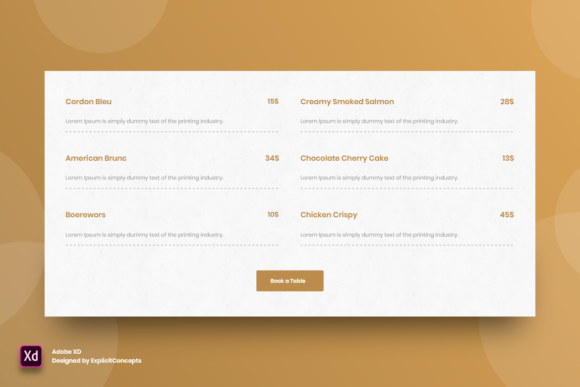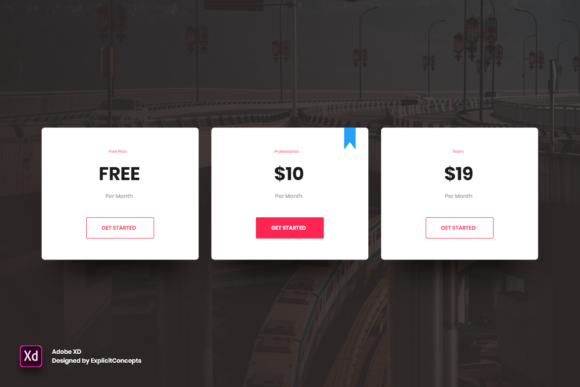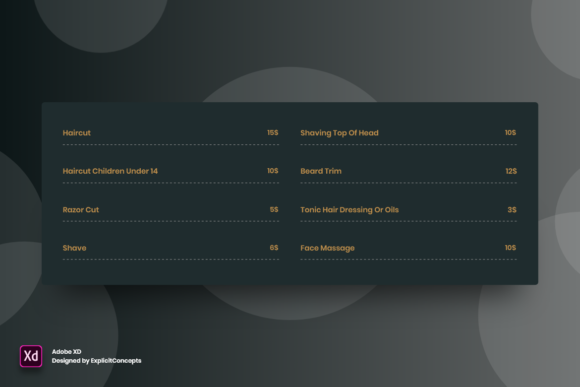
Streamlining Salon Menus with the Barber Pricing Table Adobe XD Template
Running a barbershop is about more than just mastering the fade or perfecting the beard trim. It is equally about managing the client experience from the moment they walk through the door to the moment they leave. One of the most critical touchpoints in that journey is the price list. A cluttered, hard-to-read, or outdated menu can create friction before a single haircut begins. This is where a well-designed digital asset like the Barber Pricing Table - Adobe XD template becomes an invaluable tool for modern shop owners and designers alike.
In the past, updating prices meant reprinting physical posters or manually editing clumsy Word documents. Today, visual consistency and brand identity are paramount. Whether you are a freelance graphic designer building a brand kit for a local barber or a shop owner trying to refresh your lobby display, having a structured, editable design file saves hours of work. The appeal of this specific Adobe XD resource lies not just in its aesthetics, but in its functional organization.
Why Organization Matters in Design Files
For those who have ever opened a messy design file, the value of a "well-organized all in layers with clear names" feature cannot be overstated. When you download the Barber Pricing Table - Adobe XD, you are not just getting a pretty picture; you are getting a workflow accelerator. Every element, from the background texture to the individual service items, is separated into logical groups.
Consider the scenario of a busy marketing freelancer. You have a deadline approaching for a client’s rebrand. If the pricing table layers are labeled vaguely as "Layer 1," "Layer 2," or "Group 45," you waste precious minutes hunting for the text box that controls the price of a "Hot Towel Shave." With clearly named layers, you can instantly locate, edit, and adjust elements. This level of organization reduces cognitive load, allowing you to focus on creativity and strategy rather than technical troubleshooting. It transforms the file from a static image into a dynamic component of your design system.
Real-World Applications for Different Users
The utility of this template extends beyond the traditional barbershop setting. Its flexibility allows various professionals to adapt it to their specific needs. Here is how different users might leverage this resource in practical situations.
Independent Barbers and Shop Owners
For small business owners, budget and time are constant constraints. Hiring a professional designer for every minor update is often unsustainable. By using a fully editable Adobe XD file, owners can take control of their branding. Suppose inflation necessitates a slight price adjustment across all services. Instead of paying a designer for a new layout, the owner can open the file, update the numbers, and export a fresh PDF for printing or a JPEG for social media. The high quality 72 dpi resolution ensures that when these images are shared on Instagram or Facebook, they look crisp and professional, reinforcing the shop’s premium image.
Graphic Designers and Agencies
Freelance designers often juggle multiple clients in the service industry. Having a robust starting point like this template allows them to deliver high-quality work faster. The fact that it is easy to edit texts, fonts, colors, move or remove elements means the designer can rapidly prototype different looks. They might test a monochrome minimalist style for one client and a bold, vintage aesthetic for another, all within the same file structure. This efficiency translates directly to better profit margins and happier clients who receive quicker turnarounds.
Digital Marketers and Social Media Managers
In the digital age, your price list is often seen online before it is seen in person. Marketers need assets that are ready for immediate deployment. The Ready to use nature of this template means that once the branding colors are swapped to match the client’s palette, the asset is good to go. It can be used for Instagram Stories, website banners, or email newsletters. The clean layout ensures readability on small mobile screens, which is where most potential customers will view it.
The Importance of Editability and Customization
A rigid template is of little use in a diverse market. The true power of the Barber Pricing Table - Adobe XD lies in its adaptability. Let’s look at the specific features and how they translate to real outcomes.
Easy to edit texts and fonts: Typography sets the tone of your brand. A high-end grooming lounge might prefer a sleek, sans-serif font to convey modernity, while a classic cut-throat razor shop might opt for a serif or script font to evoke tradition. Being able to swap fonts instantly allows the user to align the pricing table with the overall interior design and brand voice of the establishment.
Move or remove elements: Not every shop offers the same services. Some specialize in haircuts only, while others offer extensive spa treatments, shoe shines, or retail products. A flexible template allows you to delete unused rows or duplicate existing ones without breaking the layout. This ensures that the final design looks bespoke, not like a generic fill-in-the-blank form.
Color customization: Brand recognition is built on consistency. If your shop’s logo uses a specific shade of navy blue and gold, you need your pricing table to reflect that. The ability to change colors easily ensures that every customer-facing document reinforces your brand identity. This psychological consistency builds trust and perceived value.
Technical Considerations Before You Start
While the benefits are clear, there are practical considerations to keep in mind before downloading or purchasing this type of resource. First, ensure you have the correct software. As the name implies, this is an Adobe XD file. If you primarily work in Photoshop or Illustrator, you will need to either learn the basics of XD or find a way to convert the file, which may result in loss of editability. Adobe XD is particularly suited for this task because it handles vector graphics and text layout efficiently, making it ideal for UI and print-ready designs.
Secondly, consider the output format. The template is noted as High quality 72 dpi. This resolution is standard for screen display (websites, social media, digital menus). However, if you intend to print large-format posters for your shop window, you may need to check if the vector elements scale up correctly or if you need to adjust the export settings for higher DPI printing. For standard flyer-sized prints, 72 dpi vectors often scale well, but it is always wise to verify with your printer’s requirements.
Enhancing Customer Experience Through Clarity
Ultimately, the goal of any pricing table is communication. A confused customer is a hesitant customer. By using a professionally structured template, you eliminate ambiguity. Clear hierarchies, consistent spacing, and readable fonts guide the eye naturally through the services offered. This reduces the likelihood of awkward conversations at the register about unexpected costs.
Moreover, a polished pricing table signals professionalism. It tells the customer that you pay attention to details. If you care enough to present your prices in a clean, well-designed format, customers infer that you will apply the same level of care to their haircut. This subtle psychological cue can justify premium pricing and foster loyalty.
In conclusion, the Barber Pricing Table - Adobe XD is more than just a design file; it is a business tool. It bridges the gap between operational needs and brand presentation. Whether you are a designer looking to streamline your workflow or a barber aiming to elevate your shop’s image, leveraging a well-organized, fully editable template allows you to focus on what matters most: delivering exceptional service to your clients. By investing time in setting up a clear, attractive pricing structure, you lay the foundation for smoother transactions and a stronger brand presence both offline and online.